• Karriere
  • Kontakt
  • Kundenportal
  • Shop
Home
/
Multifunktionsdrucker
/
bizhub C4751i

Produkte & Lösungen

MultifunktionsdruckerProfessional PrintingUnternehmenssoftwareMessgeräteHealthcare

Unternehmen

BlogShopIntegrity HotlineNachhaltigkeitNewsletterStandorte und PartnerStellenangeboteÜber Konica Minolta

Global Information

Corporate InformationCompany OverviewBusiness UnitsSustainabilityInvestor RelationsResearch & Development

Support

DownloadsServicemeldung aufgebenToner bestellenRecyclingKundenportalDigitaler Rechnungsversand

Konica Minolta Business Solutions Deutschland GmbH

Datenschutz|

Impressum|

Jobs & Karriere|

Presse|

|

Nutzungsbedingungen|

Informationssicherheit|

EU Data Act

©2026 Konica Minolta Business Solutions Deutschland GmbH

product studio picture.product studio picture.ICW,  photo,  picture,  product,  product photo,  product picture,  product studio picture
ICW,  ICW,  photo,  picture,  product,  product photo,  product picture,  product studio picture
product studio picture.product studio picture.ICW,  photo,  picture,  product,  product photo,  product picture,  product studio picture
ICW,  ICW,  photo,  picture,  product,  product photo,  product picture,  product studio picture
photo,  picture,  product,  product photo,  product picture.photo,  picture,  product,  product photo,  product picture.ICW,  photo,  picture,  product,  product photo,  product picture,  product studio picture
ICW,  ICW,  photo,  picture,  product,  product photo,  product picture,  product studio picture
ICW,  photo,  picture,  product,  product photo,  product picture,  product studio picture
product studio picture
ICW,  photo,  picture,  product,  product photo,  product picture,  product studio picture
product studio picture.product studio picture.ICW,  photo,  picture,  product,  product photo,  product picture,  product studio picture
ICW,  ICW,  photo,  picture,  product,  product photo,  product picture,  product studio picture
product photo,  product picture
product photo,  product picture,  product studio picture
product photo,  product picture
product photo,  product picture,  product studio picture

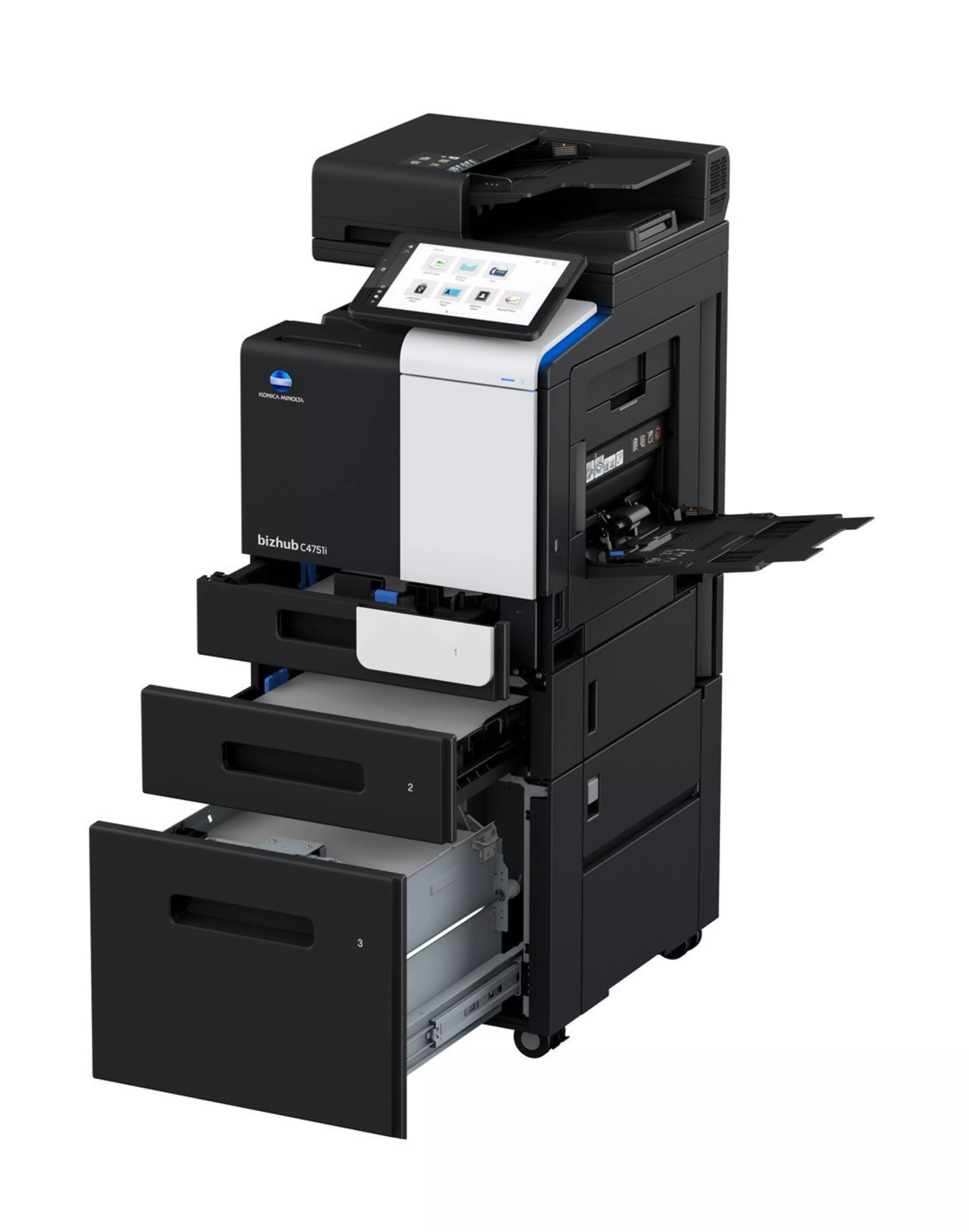
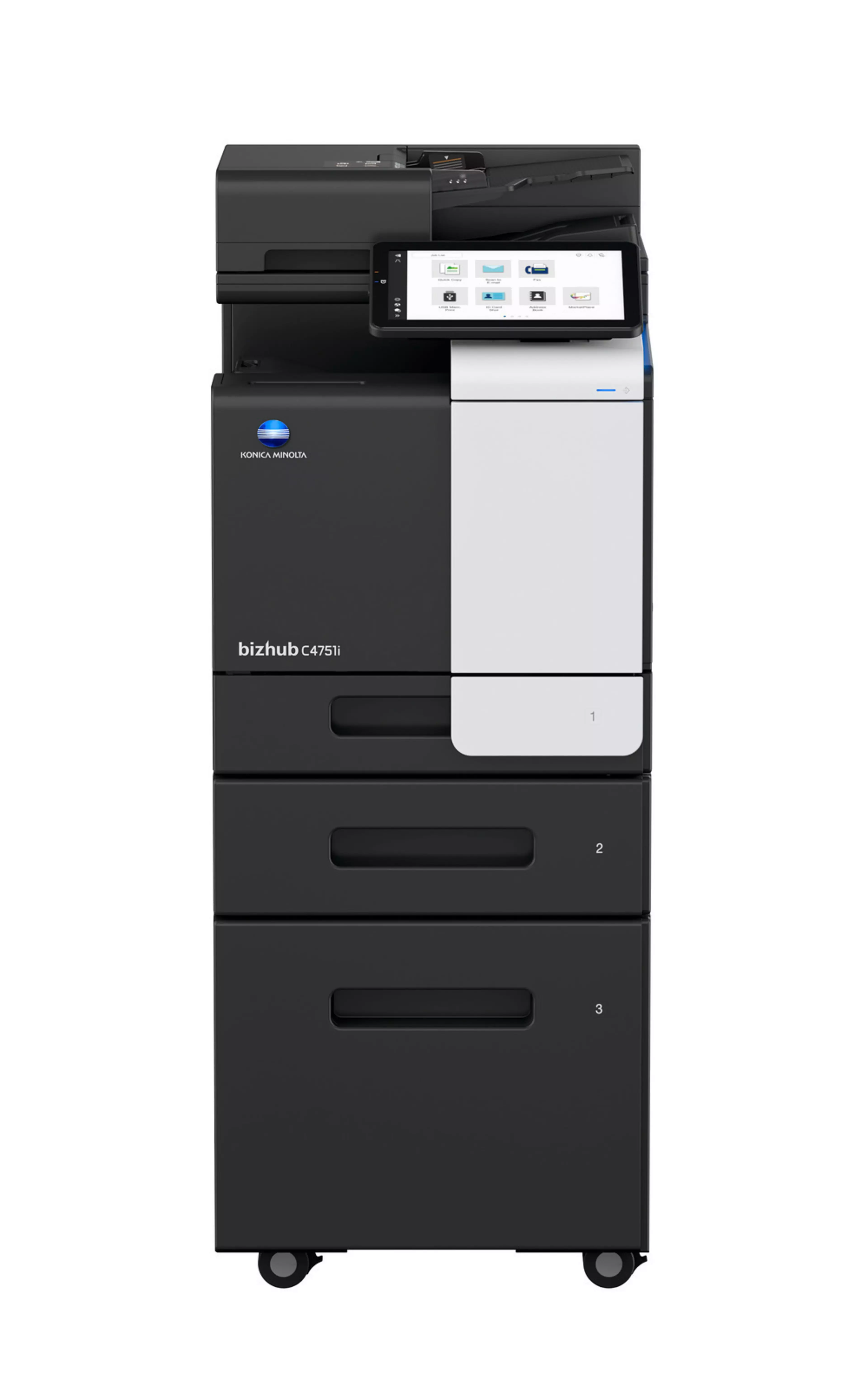
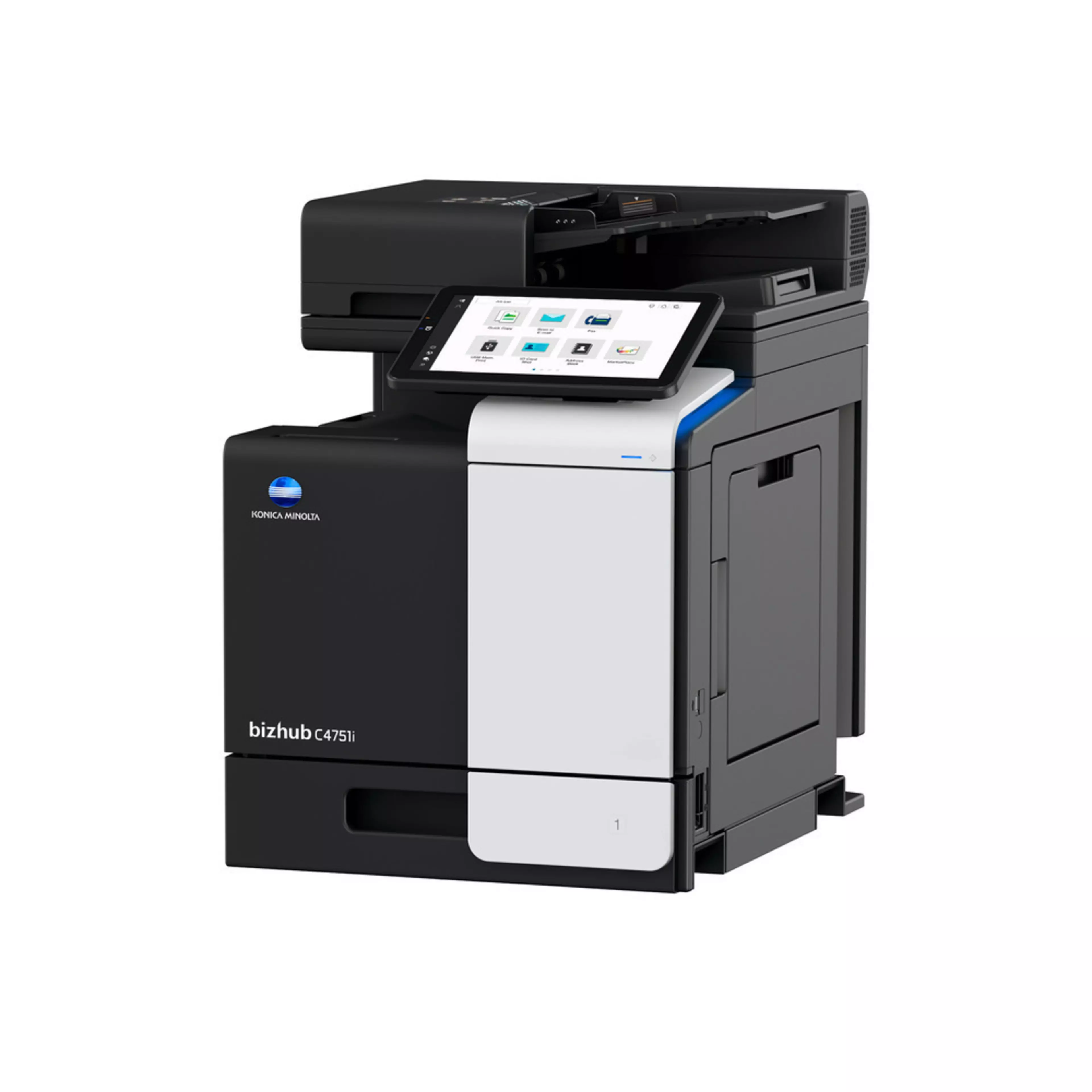
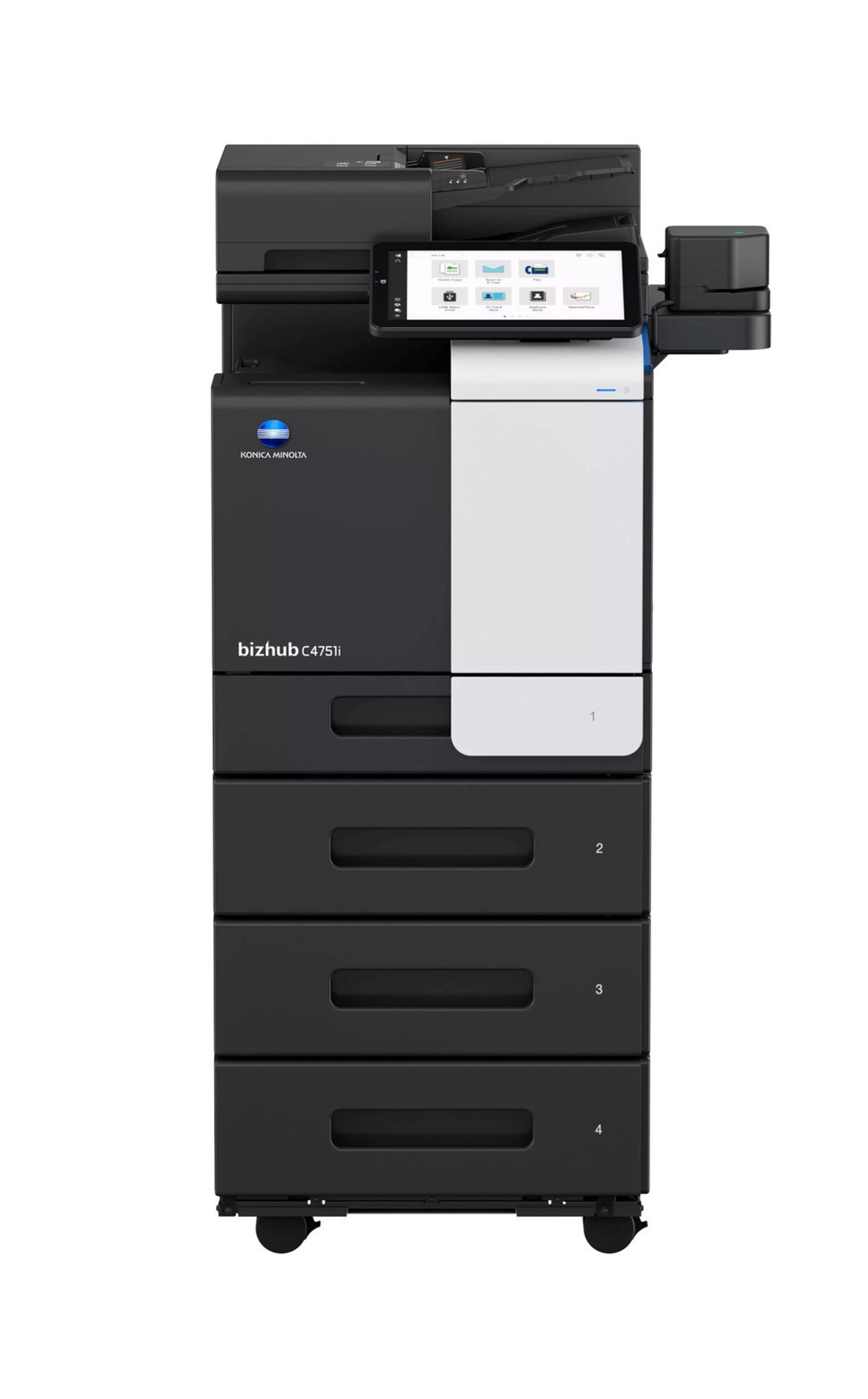
bizhub C4751i

  • 47/47 ppm in colour and black & white
  • Print, copy, scan and fax as standard
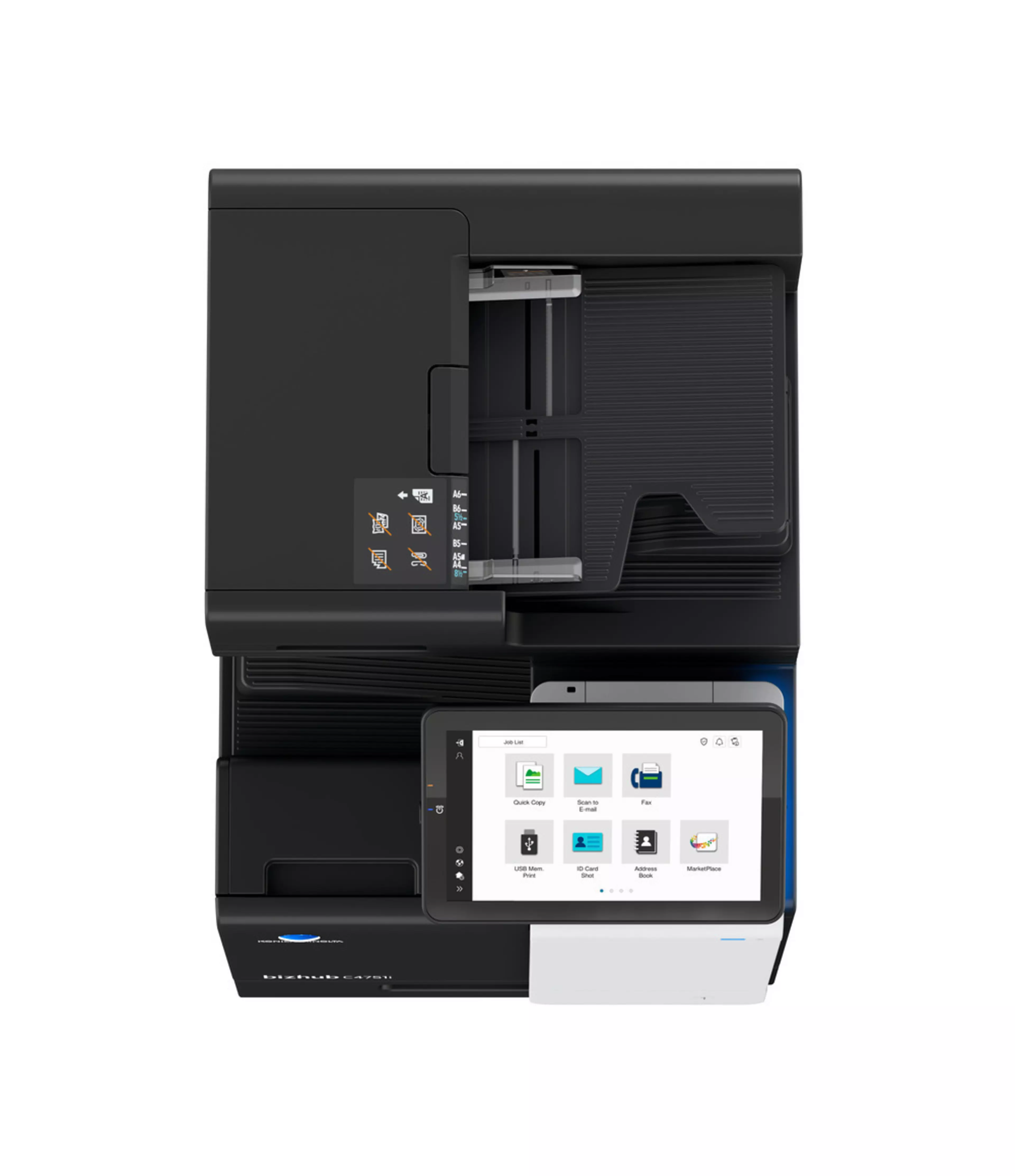
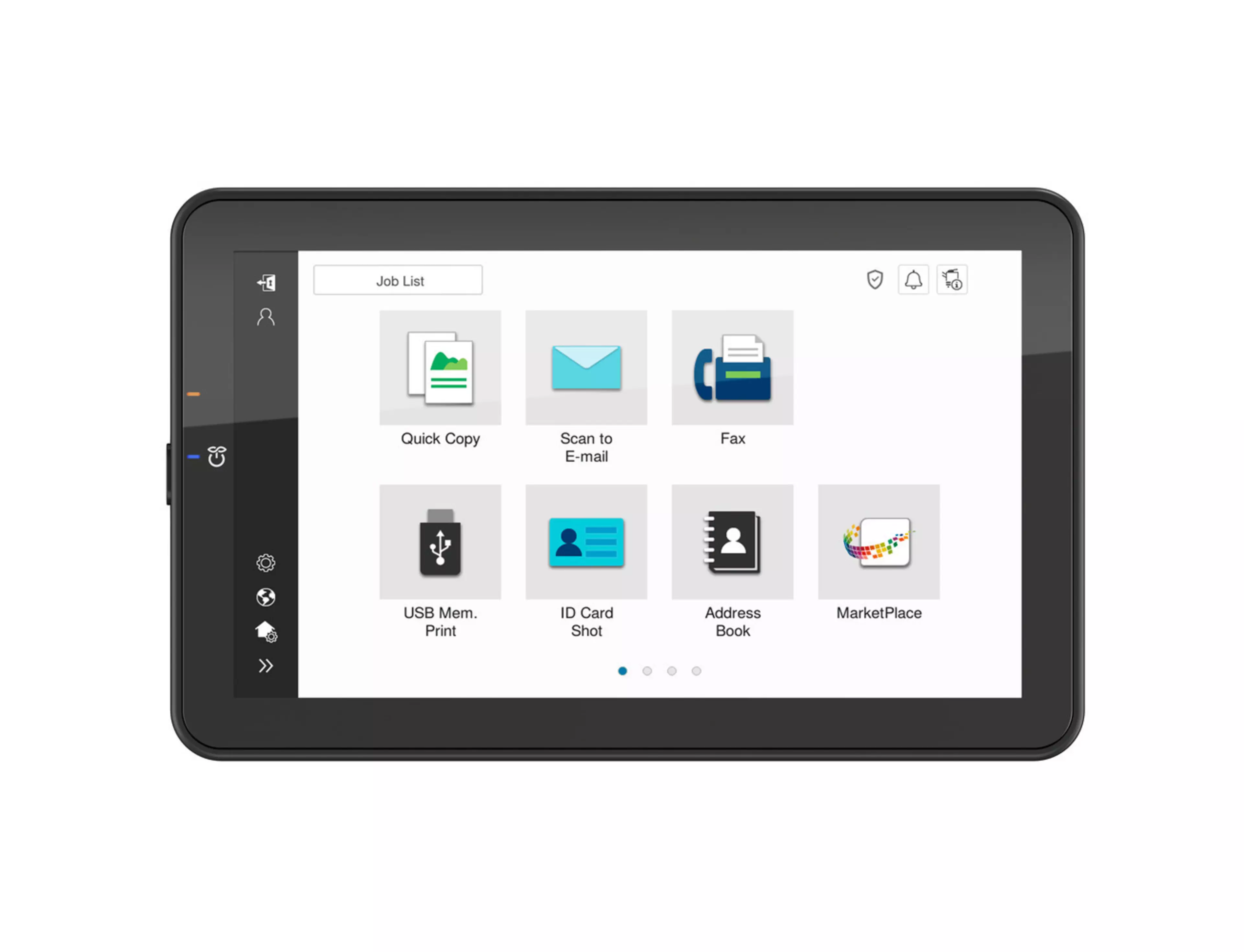
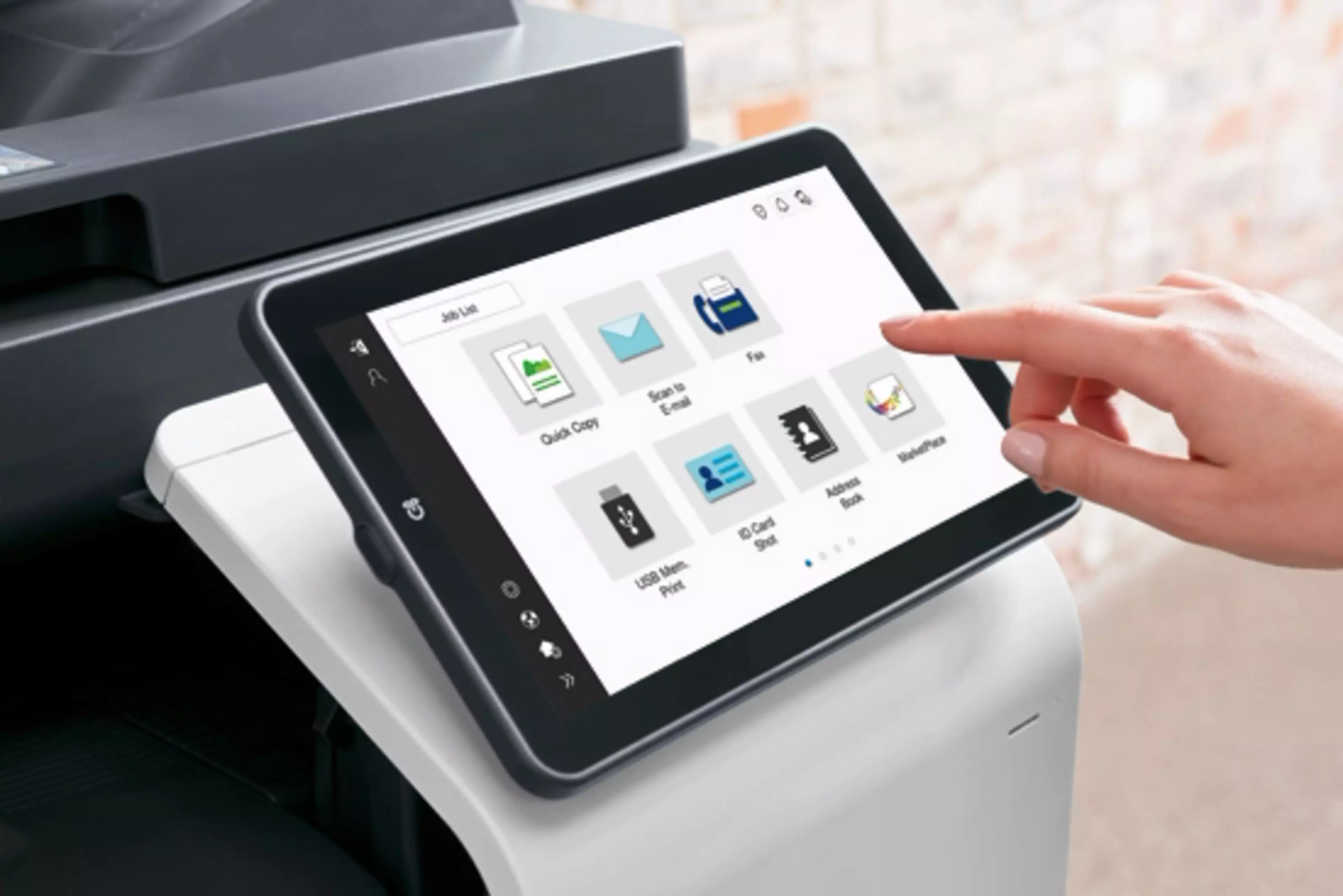
  • 10.1-inch tablet-like colour touch panel, modern intuitive user interface
  • Highest data security with even greater protection against malicious activity and increased visibility of attempted cyberattacks
  • High-volume printing and high-speed scanning up to 114 ipm in duplex
  • Flexible paper handling with input capacity up to 3100 sheets
Kontaktieren Sie uns
Teilen:

Gehe zu:

  • Funktionen
  • Features
  • Spezifikationen & Downloads

Funktionen

Direct print

Driverless printing of PDF, XPS, DOCX, XLSX, PPTX, JPEG, TIFF, PS and PCL

Mobile Printing

Possibility to directly print documents from a mobile device

MyTab

Print driver customisation

Smart job queue

Unprintable jobs e.g. because of unavailable paper size (copy, print and fax) are bypassed by consecutive jobs

Universal Printer Driver

One driver to install, manage and maintain

Blank page removal

Automatic deletion of blank pages e.g. when copying mixed simplex and duplex documents

New User Interface

Light, simple and modern UI is easy to use

Quick access to settings

With most used settings visible at first sight, select them with one click, drop down or pop up menu

Copy apps

Guided step-by-step wizard apps for typical copy jobs, such as Booklet copy, Shadow removal, etc.

Copy programs

Pre-setting of the copy jobs and saving the settings as favourites

Blank page removal

Automatic deletion of blank pages e.g. when scanning mixed simplex and duplex documents

Scan programs

Pre-setting of original, scan file and destination for regular scan jobs

Scan to url

Reduce the load on the company network by sending a simple url to the recipient instead of a big file

Scan-to-Me/Home

Direct scan to own email address (Me) or SMB folder (Home) based on Active Directory information

Box function

Storing of print, copy, scan and fax jobs for recall to send and print - for frequently printed documents like brochures, forms, pricelists etc.

Auto deletion

Automatic deletion of files stored in a user box after a predefined period

Online access

User box file access via web browser or box operator utility

Personal, Group and Public

User access definition for different boxes

Sharing

Copying of documents from user box to user box

Fax forwarding

Forwarding of incoming fax documents by email or to SMB folder instead of printing

IP-Fax

Sending of fax messages via network between Konica Minolta MFPs; supports colour as well as black & white

PC-Fax

Direct fax transmission from the PC

Shared address book

The MFP-internal address book can be shared with the PC fax client

Tray selection

Choice of input tray / print media and output tray for easy visibility of incoming faxes

Dynamic eco timer

Automatic analysis of working hours and adjustment of sleep mode timing

ECO info

Visualises ECO related items e.g. power consumption, use of duplex and colour printing, etc

ECO print

Touch screen panel does not light up for printing out of sleep mode

ECO scan

Scanning of documents without warm-up of the print engine

Weekly timer

Sleep mode timer setting on day and date basis

Access rights

Function access rights can be granted on user level (up to 1,000 accounts on MFP)

Authentication

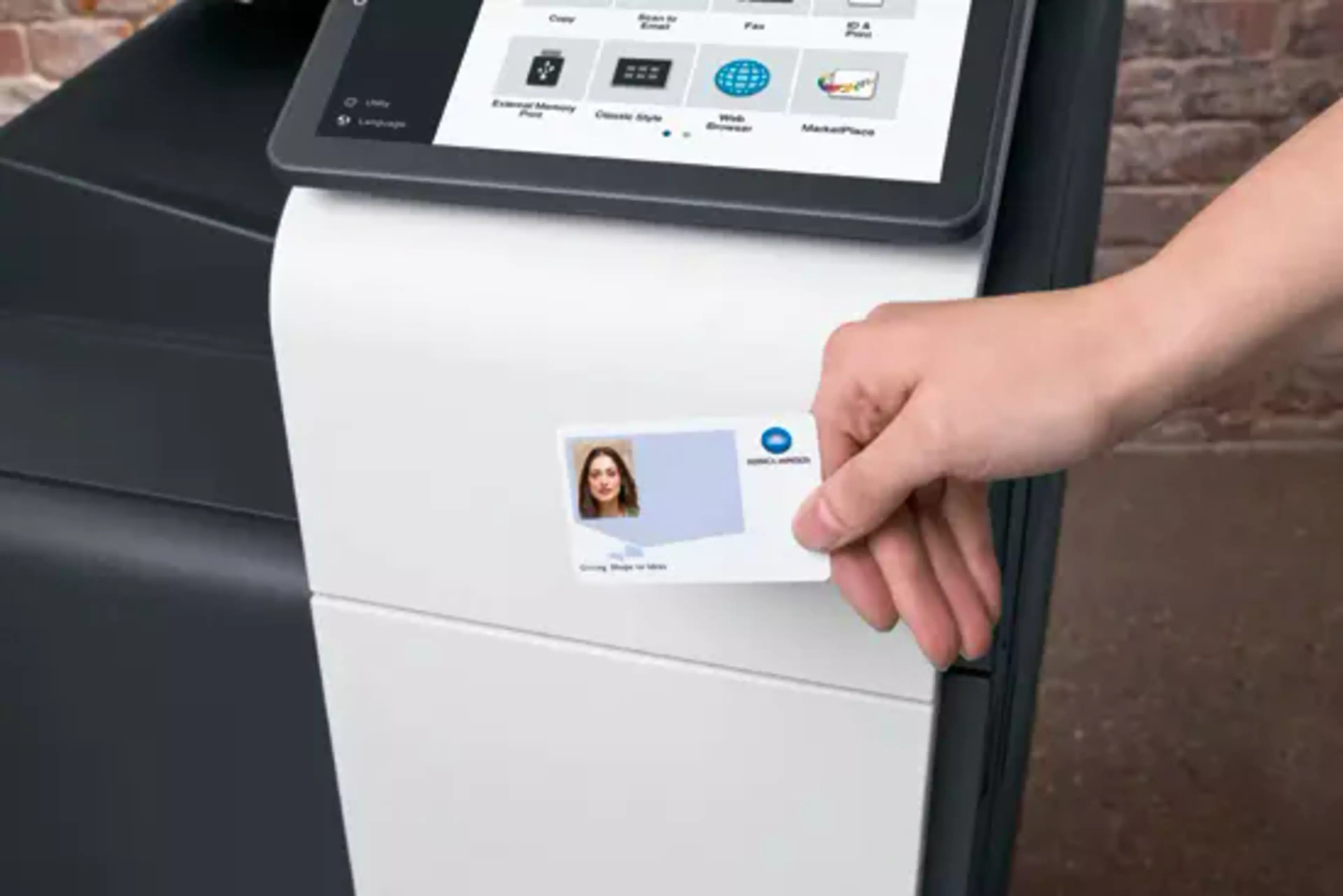
User access by password, user name + password, ID card or finger vein scanner

bizhub SECURE services

Activate adequate security features on the MFP to make sure corporate data is safe

Data encryption

Encryption of data stored on hard disk and password protection for hard disk access

Embedded Anti-virus (optional)

Bitdefender anti-virus engine protects against viruses spreading inside and outside of an organisation (optional). End users can follow the live status of the virus scanning on the display and can then also contact the IT administrator in case of doubt. Also, the administrator receives more information about the virus including its type it is and where it originated
Features

bizhub C4751i

Enjoy the bizhub i-Series with the 10.1 inch tablet-like panel, smartphone-like UI. High-level security with the embedded Bitdefender antivirus scan engine (optional), smooth operation thanks to Remote Services, Konica Minolta IT Services and much more.

ICW,  photo,  picture,  product,  product photo,  product picture

User Experience

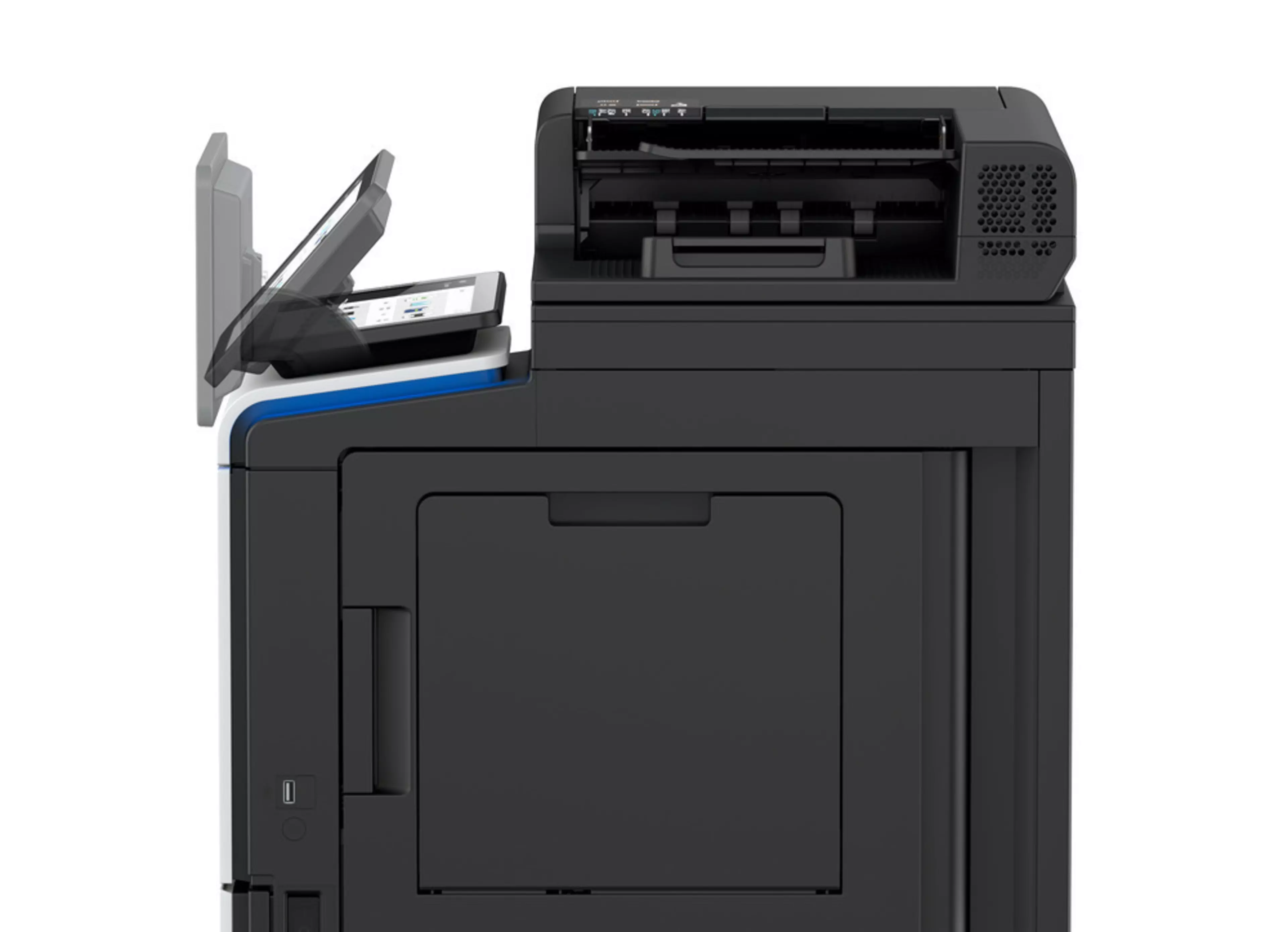
Large 10-inch panel with adjustable angle, improved and even more intuitive modern user interface. Customisable UI, smartphone-like operation, wizard-style step-by-step guidance thanks to preinstalled useful apps

Security

A full set of security features provided by bizhub SECURE services, including Bitdefender antivirus engine, protects your organisation against malware infection. Visible security thanks to the virus protection with clear notification and reporting of actual status​. Authentication Attack Detection function helps to block unauthorised attempts deriving from brute force attacks

High-volume ready

Up to 5 paper input trays (including standard tray and bypass tray) ensure that more different media can be processed in one print job. Increased paper capacity reduces the frequency with which media needs to be replenished

Sustainability

Energy-saving settings, low TEC values, space-saving design and award-winning air packaging helps to reduce environmental impact and save costs at the same time.

Drucken von überall, jederzeit:

Apple AirPrint Logomopria LogoWifi Logo
  • System speed A4
    Up to 47/47 ppm (mono/colour)
    Autoduplex speed A4
    Up to 47/47 ppm (mono/colour)
    1st page out time A4
    4.3/4.7 sec. (mono/colour)
    Warm-up time
    Approx. 15 sec. (mono/colour)¹
    Imaging technology
    Laser
    Toner technology
    Simitri® V polymerised toner
    Panel size/resolution
    10.1" / 1024 x 600
    System memory
    6,144 MB (standard/max)
    System hard drive
    256 GB SSD (standard) / 1 TB SSD (optional)
    Interface
    10/100/1,000-Base-T Ethernet; USB 2.0; Wi-Fi 802.11 b/g/n/ac (optional)
    Network protocols
    TCP/IP (IPv4 / IPv6); SMB; LPD; IPP; SNMP; HTTP(S); Bonjour
    Automatic document feeder
    Up to 100 originals; A6-A4; 50-128 g/m²; Dualscan ADF
    ADF double feed detection
    Optional
    Printable paper size
    A6-A4; customized paper sizes
    Printable paper weight
    60-210 g/m²
    Paper input capacity
    600 sheets / 3,100 sheets (standard/max)
    Paper tray input (standard)
    1x 500; A6-A4; custom sizes; 60-210 g/m²
    Paper tray input (optional)
    1x 500 sheets; A4; 60-90 g/m² (up to 3x)
    Large capacity tray (optional)
    1x 2,000; A4; 60-90 g/m²
    Manual bypass
    100 pages; A6-A4; custom sizes; 60-210 g/m²
    Finishing modes (optional)
    Group; Sort; Staple (offline)
    Automatic duplexing
    A4; 60-210 g/m²
    Output capacity
    Up to 250 sheets
    Duty cycle (monthly)
    Rec. 6,500 pages; Max.² 120,000 pages
    Toner lifetime
    Black up to 13,000 pages
    CMY up to 9,000 pages
    Imaging unit lifetime
    Black up to 166,000 pages (imaging unit)
    CMY up to 52,000 pages (imaging unit)
    Power consumption
    220-240 V / 50/60 Hz; Less than 1.45 kW
    System dimension (W x D x H)
    420 x 535 x 572 mm (without options)
    System weight
    Approx. 40.5 kg (without options)
    Print resolution
    1,800 (equivalent) x 600 dpi; 1200 x 1200 dpi
    Page description language
    PCL 6 (XL3.0); PCL 5c; PostScript 3 (CPSI 3016); XPS
    Operating systems
    Windows 10 (32/64); Windows 11; Windows Server 2012; Windows Server 2012 R2; Windows Server 2016; Windows Server 2019; Windows Server 2022; Windows Server 2025; macOS 10.14 or later; Unix; Linux; Citrix
    Printer fonts
    80 PCL Latin; 137 PostScript 3 Emulation Latin
    Barcode fonts (optional); OCR A and B fonts (optional); Unicode fonts (optional)
    Mobile printing
    AirPrint (iOS); Mopria (Android); Konica Minolta Mobile Print (iOS/Android)
    optional: WiFi Direct
    Scan speed
    Up to 57/57 ipm in simplex (mono/colour)
    Up to 114/114 ipm in duplex (mono/colour)
    Scan resolution
    Up to 600 x 600 dpi
    Scan modes
    Scan-to-eMail (Scan-to-Me); Scan-to-SMB (Scan-to-Home); Scan-to-FTP; Scan-to-SFTP; Scan-to-Box; Scan-to-USB; Scan-to-WebDAV; Scan-to-DPWS; Scan-to-URL; TWAIN scan
    File formats
    JPEG; TIFF; PDF; Compact PDF; Encrypted PDF; XPS; Compact XPS; PPTX; PDF/A 1a and 1b
    optional: Searchable PDF; Searchable DOCX/PPTX/XLSX
    Scan destinations
    2,000 destinations + 100 groups; LDAP support
    Copy resolution
    600 x 600 dpi
    Gradation
    256 gradations
    Multicopy
    1-9,999
    Original format
    Max. A4
    Magnification
    25-400% steps 0.1% steps; Auto-zooming
    Fax standard
    Super G3
    Fax transmission
    Analogue; i-Fax; Colour i-Fax; IP-Fax
    Fax resolution
    Up to 600 x 600 dpi
    Fax compression
    MH; MR; MMR; JBIG
    Fax modem
    Up to 33.6 Kbps
    Fax destinations
    2,000 single + 100 groups
    Storable documents
    up to 3,000 documents or 10,000 pages
    Type of user boxes
    Public; Personal (with password or authentication); Group (with authentication)
    Type of system boxes
    Secure print; Encrypted PDF print; Fax receipt; Fax polling
    Security
    ISO15408 Common Criteria; IP filtering and port blocking; TLS 1.2/1.3 secure network communication; IPsec support; IEEE 802.1x support; User authentication; Authentication log; Secure print; Kerberos; Hard drive overwrite; Hard drive data encryption (AES 256); Confidential fax; Print user data encryption
    optional: Antivirus realtime scanning (Bitdefender®)
    Accounting
    Up to 1,000 user accounts; Active Directory support (user name + password + e-mail + smb folder); User function access definition; Authentication by mobile device (Android)
    optional: Biometric authentication (finger vein scanner); ID card authentication (ID card reader); Authentication by mobile device (iOS)
    Software
    Data Administrator; Web Connection; HDD Backup Utility; Driver Packaging Utility; Log Management Utility; Font Management Utility; Download Manager

Weitere Links zu bizhub C4751i

Lernen Sie alle Features und Funktionen kennen um Ihren bizhub C4751i zu konfigurieren
Konfigurieren Sie Ihr Gerät
Hier erfahren Sie, wie unsere Drucker zu bedienen sind:
bizhub C4751i itraining
Verwenden Sie das Online-Handbuch zur Fehlerbehebung und um mehr über Ihr Gerät zu erfahren.
bizhub C4751i Online Handbuch
bizhub C4751i Datenblatt
Datenblatt herunterladen

Konica Minolta receives BLI PaceSetter award for ease of use in its enterprise devices

The world’s leading independent evaluator of document imaging software, hardware and services Keypoint Intelligence carried out a study to find out which OEM has incorporated the highest degree of end-to-end ease of use in the design of their enterprise devices: Konica Minolta is the proud winner of a Buyers Lab (BLI) PaceSetter award 2020-2021 in Ease of Use: Enterprise Devices.


Convincing factors:

Konica Minolta convinces with its unique, large control panel that is fully tiltable. The screen provides easy access to all basic settings and touch navigation for a pleasant and effective user experience.

BLI PaceSetter award
Konica Minolta receives BLI PaceSetter award for ease of use in its enterprise devices